9 562 marques
2 694 000 modes d'emploi


Téléchargez vos notices, c'est GRATUIT ! Diplodocs vous permet de télécharger plusieurs types de documents pour mieux utiliser votre PIONEER PDP-507CMX : mode d'emploi, notice d'utilisation, manuel d'instruction.
Chercher une marque
Recherche avancée

Besoin d'aide pour votre produit ?
Consulter les avis sur PIONEER PDP-507CMX

Mode d'emploi PIONEER PDP-507CMX

Diplodocs permet de télécharger le mode d'emploi PIONEER PDP-507CMX .

Télécharger le mode d'emploi intégral (11081 Ko)


Vous pouvez télécharger les notices suivantes connexes à ce produit :
PIONEER PDP-507CMX


Aperçu des 3 premières pages de la notice

Vous avez désactivé JavaScript ou bien vous avez une ancienne version d'Adobe Flash Player.
Télécharger la dernière version de Flash Player.
Extrait du mode d'emploi : notice PIONEER PDP-507CMX

Les instructions détaillées pour l'utilisation figurent dans le Guide de l'utilisateur.

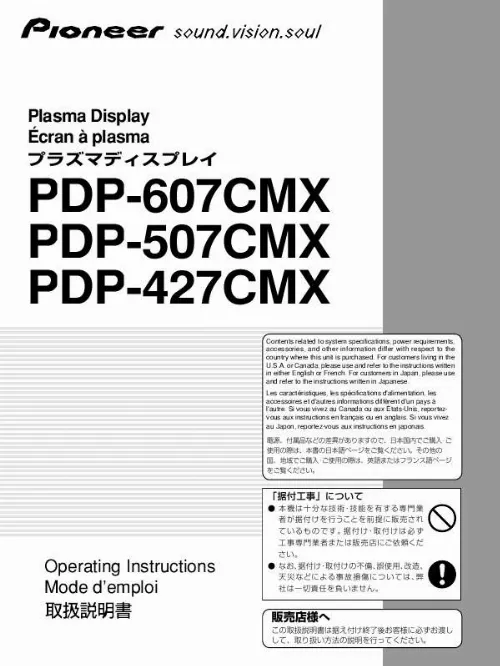
Plasma Display Écran à plasma PDP-607CMX PDP-507CMX PDP-427CMX Contents related to system specifications, power requirements, accessories, and other information differ with respect to the country where this unit is purchased. For customers living in the U.S.A. or Canada, please use and refer to the instructions written in either English or French. For customers in Japan, please use and refer to the instructions written in Japanese. Les caractéristiques, les spécifications d'alimentation, les accessoires et d'autres informations diffèrent d'un pays à l'autre. Si vous vivez au Canada ou aux États-Unis, reportezvous aux instructions en français ou en anglais. Si vous vivez au Japon, reportez-vous aux instructions en japonais. Operating Instructions Mode d'emploi English This unit has been designed for use as a computer display monitor. The optional video card is required if you wish to view other video signals on the monitor. For details consult your local retail dealer. Français Cet appareil est conçu pour une utilisation comme moniteur d'affichage d'ordinateur. La carte vidéo optionnelle est nécessaire si vous souhaitez regarder d'autres signaux sur ce moniteur. Pour plus de renseignements, consultez votre revendeur. Operating Instructions Thank you very much for purchasing this PIONEER product. Before using your Plasma Display, please read the "Safety Precautions" and these "Operating Instructions" carefully so you will know how to operate the Plasma Display properly. Keep this manual in a safe place. You will find it useful in the future. Notes on Installation Work: This product is marketed assuming that it is installed by qualified personnel with enough skill and competence. Always have an installation specialist or your dealer install and set up the product. PIONEER cannot assume liabilities for damage caused by mistake in installation or mounting, misuse, modification or a natural disaster. Note for Dealers: After installation, be sure to deliver this manual to the customer and explain to the customer how to handle the product. i En Safety Precautions Français English Safety Precautions English IMPORTANT CAUTION RISK OF ELECTRIC SHOCK DO NOT OPEN The lightning flash with arrowhead symbol, within an equilateral triangle, is intended to alert the user to the presence of uninsulated "dangerous voltage" within the product's enclosure that may be of sufficient magnitude to constitute a risk of electric shock to persons. CAUTION: TO PREVENT THE RISK OF ELECTRIC SHOCK, DO NOT REMOVE COVER (OR BACK). NO USER-SERVICEABLE PARTS INSIDE. REFER SERVICING TO QUALIFIED SERVICE PERSONNEL. The exclamation point within an equilateral triangle is intended to alert the user to the presence of important operating and maintenance (servicing) instructions in the literature accompanying the appliance. D3-4-2-1-1_En-A WARNING This equipment is not waterproof. To prevent a fire or shock hazard, do not place any container filed with liquid near this equipment (such as a vase or flower pot) or expose it to dripping, splashing, rain D3-4-2-1-3_A_En or moisture. The following symbols are found on labels attached to the product. They alert the operators and service personnel of this equipment to any potentially dangerous conditions. IMPORTANT NOTICE The serial number for this equipment is located on the rear panel. Please write this serial number on your enclosed warranty card and keep it in a secure area. This is for your security. WARNING This symbol refers to a hazard or unsafe practice which can result in personal injury or property damage. CAUTION This symbol refers to a hazard or unsafe practice which can result in severe personal injury or death. Safety Precautions WARNING: Handling the cord on this product or cords associated with accessories sold with the product will expose you to chemicals listed on proposition 65 known to the State of California and other governmental entities to cause cancer and birth defect or other reproductive harm. Wash hands after handling D36-P4_A_En CAUTION: WHEN POSITIONING THIS EQUIPMENT ENSURE THAT THE MAINS PLUG AND SOCKET IS EASILY ACCESSIBLE. WARNING Perchlorate Material - special handling may apply. See www.dtsc.ca.gov/hazardouswaste/perchlorate. (Applicable to California, U.S.A.) i ii En Safety Precautions English En ­ ­ ­ ­ Reorient or relocate the receiving antenna. Increase the separation between the equipment and receiver. Connect the equipment into an outlet on a circuit different from that to which the receiver is connected. D8-10-1-2_En Consult the dealer or an experienced radio/TV technician for help. Information to User Alteration or modifications carried out without appropriate authorization may invalidate the user's right to operate D8-10-2_En the equipment. CAUTION: This product satisfies FCC regulations when shielded cables and connectors are used to connect the unit to other equipment. To prevent electromagnetic interference with electric appliances such as radios and D8-10-3a_En televisions, use shielded cables and connectors for connections. CAUTION: When changing batteries, use only conventional non-rechargeable alkaline or manganese batteries (2). Risk of explosion if battery is replaced by an incorrect type. Dispose of used batteries according to the institutions. iii ii Safety Precautions Français NOTE: This equipment has been tested and found to comply with the limits for a Class B digital device, pursuant to Part 15 of the FCC Rules. These limits are designed to provide reasonable protection against harmful interference in a residential installation. This equipment generates, uses, and can radiate radio frequency energy and, if not installed and used in accordance with the instructions, may cause harmful interference to radio communications. However, there is no guarantee that interference will not occur in a particular installation. If this equipment does cause harmful interference to radio or television reception, which can be determined by turning the equipment off and on, the user is encouraged to try to correct the interference by one or more of the following measures: Safety Precautions English FEDERAL COMMUNICATIONS COMMISSION DECLARATION OF CONFORMITY This device complies with part 15 of the FCC Rules. Operation is subject to the following two conditions: (1) This device may not cause harmful interference, and (2) this device must accept any interference received, including interference that may cause undesired operation. Product Name: Plasma Display with Video Card Model Number: PDP-607CMX/PDP-507CMX/PDP-427CMX (Plasma Display) PDA-5003/PDA-5004 (Video Card) Product Category: Class B Personal Computers & Peripherals Responsible Party Name: PIONEER ELECTRONICS SERVICE, INC. Address: 1925E. Dominguez st., Logn Beach, CA. 90801-1760, U.S.A. Phone Number: 800-421-1625 For Business Customer URL: http://www.pioneerelectronics.com Should this product require service in the U.S.A. and you wish to locate the nearest Pioneer Authorized Independent Service Company, or if you wish to purchase replacement parts, operating instructions, service manuals, or accessories, please call the number shown below. 800­421­1625 Please do not ship your product to Pioneer without first calling the Customer Support Division at the above listed number for assistance. Safety Precautions Pioneer Electronics (USA) Inc. Customer Support Division P BOX 1760, Long Beach, .O. CA 90801-1760, U.S.A. For warranty information please see the Limited Warranty sheet included with your product. Should this product require service in Canada, please contact a Pioneer Canadian Authorized Dealer to locate the nearest Pioneer Authorized Service Company in Canada. Alternatively, please contact the Customer Satisfaction Department at the following address: Pioneer Electronics of Canada, Inc. Customer Satisfaction Department 300 Allstate Parkway, Markham, Ontario L3R OP2 (905)479-4411 1(877)283-5901 For warranty information please see the Limited Warranty sheet included with your product. iii iv En Contents Safety Precautions ................................... i Features ................................................... 2 Before Proceeding ................................... 3 How to use this manual ...................................... 3 Checking supplied accessories .......................... 5 Other Operations .................................. 30 Setting the ORBITER ......................................... 30 Setting the SOFT FOCUS ................................. 31 Energy saving settings (ENERGY SAVE) ......... 32 Automatic input switching (AUTO FUNCTION) ........................................... 33 Setting the PRESENT TIME .............................. 34 Activating the timer .......................................... 35 Setting the subscreen mode (PIP DETECT) .... 36 Setting the memo screen (SPLIT FREEZE) ...... 37 Part Names and Functions ..................... 6 Main unit .............................................................. 6 Remote control unit ............................................ 7 Connection panel (PDP-607CMX) ...................... 9 Connection panel (PDP-507CMX) .................... 10 Connection panel (PDP-427CMX) .................... 11 Additional Information ......................... 38 Cleaning ............................................................. 38 Troubleshooting ................................................ 39 Precautions regarding use ............................... 41 STANDBY/ON indicator .................................... 41 Specifications .................................................... 42 Appendix 1: Computer signal compatibility table ............................................ 43 Appendix 2: INPUT1/2 pin assignments ......... 49 Explanation of terms ........................................ 50 Installation and Connections ............... 12 Installation of the unit ....................................... 12 Connection to a personal computer ................ 14 Audio connections ............................................ 15 Power cord connection ..................................... 16 Attaching the ferrite cores ................................ 16 How to route cables .......................................... 17 System Settings .................................... 18 Setting the onscreen display language ........... 18 Settings after connections ............................... 19 Operation ............................................... 20 Selecting input source ...................................... 20 Adjusting sound volume .................................. 21 Muting the sound .............................................. 21 Confirming current status ................................ 21 Changing screen size ........................................ 22 Enlarging one part of the screen (POINT ZOOM) .................................................. 23 Multiscreen display ........................................... 24 Automatic power-off (POWER MANAGEMENT) ................................ 25 PICTURE/SCREEN Adjustment ............ 26 PICTURE adjustment ........................................ 26 Adjusting screen POSITION, CLOCK, and PHASE ....................... 27 Adjusting screen POSITION, CLOCK, and PHASE ........................... 28 1 En Contents English Features English ¶ Introduces newly developed Wide Plasma Panel PDP-607CMX/PDP-507CMX: The new wide high-precision plasma panel (1365x768 / 16:9) pushes the envelope of previous high-luminance panels, producing brighter, clearer images with higher contrast. ¶ Optional line (sold separately) (For details, please consult the dealer where this unit was purchased.) 1 Table top stand: Display stand. 2 Wall installation unit: Wall installation bracket designed as a wall interface for securing the unit. 3 Speaker system designed specifically for Plasma Displays (width: 9 cm (3-9/16 in.)): 2-way speaker units featuring 5 cm (2 in.) tweeter and 8 cm (3-3/16 in.) woofer in vertical arrangement. 4 Video card: Expansion card allows viewing of video signals and computer analog RGB signals. Cards used in the expansion slots should be manufactured or recommended by Pioneer. Using other expansion cards may result in malfunction. PDP-427CMX: The new wide high-precision plasma panel (1024x768 / 16:9) pushes the envelope of previous high-luminance panels, producing brighter, clearer images with higher contrast. ¶ ES Slot interface for enhanced potential The display is provided with a built-in ES Slot Interface to allow the installation of cards for the connection of external devices, thus enhancing its expansion potential. ¶ Supports wide range of computer signals (analog/ digital) Supports non-compressed display of signals ranging from 640x400 and 640x480 (VGA) to 1024x768 (XGA), and compressed display of 1280x1024 (SXGA), 1400x10 ...

  Know our Partners   Foire aux questions   Contactez l'équipe Diplodocs   Dernières recherches
Derniers ajouts
  Sitemap
Les marques commençant par la lettre A B C D E F G H I J K L M N O P Q R S T U V W X Y Z #
Copyright © 2005 - 2008 - Diplodocs - Tous droits réservés.
Les noms de marques cités appartiennent à leurs propriétaires respectifs.