
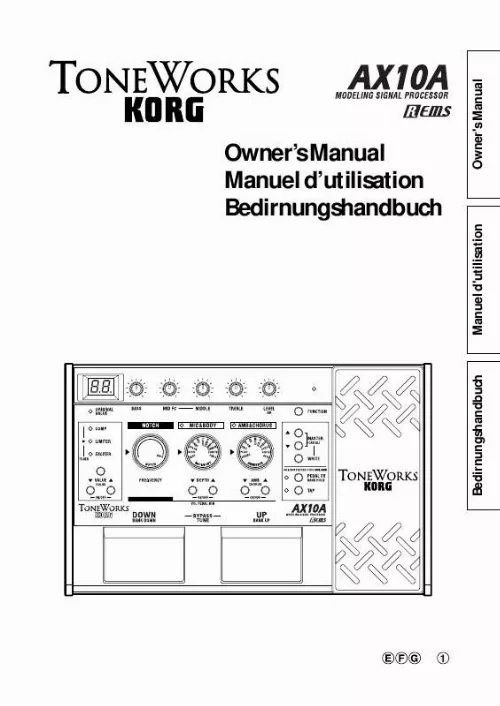



Les instructions détaillées pour l'utilisation figurent dans le Guide de l'utilisateur.
Owner's Manual Manuel d'utilisation Bedirnungshandbuch
Bedirnungshandbuch
Manuel d'utilisation
Owner's Manual
Owner's Manual
Introduction
Thank you for purchasing the AX10A -- Tone Works modeling signal processor. To ensure trouble-free enjoyment, please read this manual carefully and use the product as described. When you have finished reading the manual, keep it for future reference. Korg's "REMS" modeling technology is used to provide numerous sophisticated effects including -- 3 types of pre-effects, tone, 11 types of mic & body modeling, 11 types of ambience effects, and 1 type of chorus effect are built-in. The controls for mic & body modeling and effects are located on the AX10A's panel in the order of the signal flow from the electric acoustic guitar input through the output. This intuitive design makes it easy for you to create a wide variety of your own sounds.
AX10A signal routing
INPUT PRE FX
3 TYPES
Table of contents
Introduction .............................................................. 3 Precautions .............................................................. 4 Quick Start ............................................................... 5 Parts and what they do ............................................ 6 Front panel ......................................................... 6 Rear panel ......................................................... 7 Setup ........................................................................ 8 Turning the power on/off .................................... 8 Connections ....................................................... 8 Playing the AX10A ................................................... 9 Selecting programs ........................................... 9 Bypass and Mute ............................................... 9 Tuner .................................................................. 9 Using the expression pedal ............................. 10 Creating sounds .................................................... 10 Creating sounds on the AX10A ....................... 10 PRE FX ............................................................ 11 TONE ............................................................... 11 NOTCH ............................................................ 11 MIC&BODY ...................................................... 11 AMB&CHORUS ............................................... 11 Expression pedal ............................................. 12 NR (Noise Reduction) ..................................... 12 Storing a program .................................................. 12 Other functions ...................................................... 13 Calibrating (adjusting) the expression pedal .. 13 Restoring programs to the factory settings ..... 13 Troubleshooting ..................................................... 13 Main specifications ................................................ 14 AX10A Program Chart ........................................... 39
TONE
NOTCH
MIC&BODY
11 TYPES
AMBIENCE/CHORUS
11 AMBI TYPES+CHORUS
OUTPUT
The mic & body models simulate the resonances of various famous acoustic guitars with different miking techniques. Compression, reverb, and chorus (all tuned for acoustic guitar sounds) are also provided. 40 presets that take full advantage of the AX10A's potential are provided for immediate use, and you can store your own settings in another 40 user programs. The built-in expression pedal gives you realtime control of volume or delay/reverb/chorus depth. There's also a pedal notch mode that lets you use the pedal to control the cutoff frequency of a notch filter. By using the pedal to control the notch, you can suppress acoustic feedback while you continue to play your instrument. The built-in Auto Chromatic Tuner lets you tune silently which is ideal for live situations.
3
Bedirnungshandbuch
Manuel d'utilisation
Owner's Manual
Precautions
Location
Using the unit in the following locations can result in a malfunction. · In direct sunlight · Locations of extreme temperature or humidity · Excessively dusty or dirty locations · Locations of excessive vibration · Close to magnetic fields
Power supply
Please connect the designated AC adapter to an AC outlet of the correct voltage. Do not connect it to an AC outlet of voltage other than that for which your unit is intended.
Interference with other electrical devices
Radios and televisions placed nearby may experience reception interference. Operate this unit at a suitable distance from radios and televisions.
Handling
To avoid breakage, do not apply excessive force to the switches or controls.
Care
If the exterior becomes dirty, wipe it with a clean, dry cloth. Do not use liquid cleaners such as benzene or thinner, or cleaning compounds or flammable polishes.
Keep this manual
After reading this manual, please keep it for later reference.
Keeping foreign matter out of your equipment
Never set any container with liquid in it near this equipment. If liquid gets into the equipment, it could cause a breakdown, fire, or electrical shock. Be careful not to let metal objects get into the equipment. If something does slip into the equipment, unplug the AC adapter from the wall outlet. Then contact your nearest Korg dealer or the store where the equipment was purchased.
THE FCC REGULATION WARNING (for U.S.A.)
This equipment has been tested and found to comply with the limits for a Class B digital device, pursuant to Part 15 of the FCC Rules. These limits are designed to provide reasonable protection against harmful interference in a residential installation. This equipment generates, uses, and can radiate radio frequency energy and, if not installed and used in accordance with the instructions, may cause harmful interference to radio communications. However, there is no guarantee that interference will not occur in a particular installation. If this equipment does cause harmful interference to radio or television reception, which can be determined by turning the equipment off and on, the user is encouraged to try to correct the interference by one or more of the following measures: · Reorient or relocate the receiving antenna. · Increase the separation between the equipment and receiver. · Connect the equipment into an outlet on a circuit different from that to which the receiver is connected. · Consult the dealer or an experienced radio/TV technician for help. Unauthorized changes or modification to this system can void the user's authority to operate this equipment.
CE mark for European Harmonized Standards
CE mark which is attached to our company's products of AC mains operated apparatus until December 31, 1996 means it conforms to EMC Directive (89/336/EEC) and CE mark Directive (93/68/EEC). And, CE mark which is attached after January 1, 1997 means it conforms to EMC Directive (89/336/EEC), CE mark Directive (93/68/EEC) and Low Voltage Directive (73/23/EEC). Also, CE mark which is attached to our company's products of Battery operated apparatus means it conforms to EMC Directive (89/336/EEC) and CE mark Directive (93/68/EEC).
IMPORTANT NOTICE TO CONSUMERS
This product has been manufactured according to strict specifications and voltage requirements that are applicable in the country in which it is intended that this product should be used. If you have purchased this product via the internet, through mail order, and/or via a telephone sale, you must verify that this product is intended to be used in the country in which you reside. WARNING: Use of this product in any country other than that for which it is intended could be dangerous and could invalidate the manufacturer's or distributor's warranty. Please also retain your receipt as proof of purchase otherwise your product may be disqualified from the manufacturer's or distributor's warranty.
What is
?
(Resonant structure and Electronic circuit Modeling System) is KORG's proprietary sound modeling technology which precisely reproduces the complex character and nature of both acoustic and electric instruments as well as electronic circuits in real world environments. emulates a wide variety of sound generation characteristics including instrument bodies, speakers & cabinets, acoustic fields, microphones, vacuum tubes, transistors, etc.
4
Quick Start
Before you make connections with any external devices, turn all volumes to the minimum position and turn off the power.
1. If you will be powering the AX10A with batteries, open the battery compartment located on the bottom panel, and install four AA alkaline batteries (sold separately). If you will be powering the AX10A with the separately sold AC adaptor, connect the AC adaptor to the rear panel DC9V connector (the power will turn on). 2. Set the INPUT L/H switch to the appropriate position for the output of your guitar. Use the "H" position if your guitar has a high output pickup, or the "L" position if your guitar has a low output pickup. 3. Connect your guitar to the AX10A's INPUT jack. If you are using batteries, the power of the AX10A will turn on at this point. 4. If you're connecting the AX10A to a PA system or guitar amp, set the AMP/LINE switch to "AMP". If you're connecting it to headphones, mixer or a recorder, set this switch to "LINE". 5. Connect the AX10A's OUTPUT jack to the INPUT of your guitar amp or recorder. If you want to use headphones, connect them to the OUTPUT jack. 6. Turn on the power of the connected equipment, and raise the volume to an appropriate level. You can also use the AX10A's MASTER buttons to adjust the volume. 7. Press the program select switches to change programs.
TIPS The AX10A has 40 preset programs (01Â94) and 40 user programs (0.1Â9.4). With the factory settings, the user programs contain the 4 same contents as the preset programs.
8. You can control the pedal effect by using the expression pedal. The pedal is active when the PEDAL LED at the upper left of the pedal is lit. If this LED is dark, advance the pedal all the way forward to make the LED light. Now the pedal will be active. Editing a Sound 9. Turn the MIC & BODY selector to select your desired sound, and use the DEPTH buttons to adjust the depth. Use the tone control knobs to adjust the tone and volume. If acoustic feedback occurs, you can turn the NOTCH selector to suppress the frequency at which feedback tends to occur. Editing and Effect 10. Adjust the chorus or ambience effect as desired. Use the AMB (CHORUS) buttons to adjust the depth of the ambience effect. By holding down the FUNCTION button while pressing the AMB (CHORUS) buttons you can adjust the depth of the chorus effect. With a setting of "00" there will be no effect. The delay/reverb time of the ambience effect can be adjusted by pressing the TAP button at the desired timing interval. 11. To adjust the pre-effect located in front of Mic & Body, press the PRE FX button to select an effect, and use the VALUE buttons to adjust it. This concludes our brief introduction to the AX10A. This manual contains much more information about the AX10A, so please read it to ensure that you are taking full advantage of all its capabilities.
5
3
2
1
8 9 10 6 8 11 9 9 10 10
7
7
5
Parts and what they do
Front panel
1 Display Indicates the program number. When you operate a knob, selector or button, or move the pedal when the pedal FX is set to Notch, the parameter value will briefly appear in the display.
· This will light when the power is on. · The dot in the lower right of the display will light when you edit a parameter value. will blink · If the AX10A is running on batteries, when the batteries run low.
5 PRE FX button Each time you press this button, the pre-effect type will change in the order of COMP LIMITER EXCITER COMP etc. 6 VALUE (CALIB) buttons ÂON/OFFÂ These buttons adjust the value of the pre-effect. You can switch PRE FX on/off by pressing the VALUE and buttons simultaneously. When the tuner is operating, you can use these buttons to adjust the calibration (CALIB). 7 MIC & BODY selector Selects one of eleven types of mic or body modeling. 8 DEPTH (VOL PEDAL MIN) buttons -ON/OFFThese buttons adjust the depth of the mic or body modeling effect (DEPTH). If you've assigned the expression pedal to control Volume, you can set the minimum volume when the pedal is fully returned (i.e., toward yourself) by holding down the FUNCTION button and pressing or (VOL PEDAL MIN). You can switch the MIC & BODY effect on/off by pressing the DEPTH and buttons together. When off, the MIC & BODY LED will not be lit. 9 AMBIENCE selector This selects one of 11 ambience effects. 10 AMB/CHORUS buttons -ON/OFFThese buttons adjust the depth of the ambience effect. You can adjust the depth of the chorus by holding down the FUNCTION button and pressing these buttons. You can simultaneously switch the ambience effect and chorus effect on/off by pressing the AMB and butt ...
