Les instructions détaillées pour l'utilisation figurent dans le Guide de l'utilisateur.
Parts and what they do
Turning the power on/off
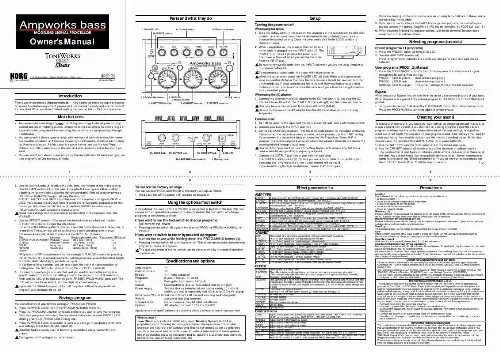
1. POWER LED 10. WRITE button 6. Control knobs 8. Effect depth knob
Setup
When using batteries:
1. Slide the battery cover (11) located on the underside of the case toward the UNLOCK position, and remove it. Insert two AA alkaline batteries (included), being sure to observe the correct polarity. Close the cover and slide it to the LOCK position to fasten it in place. 2. When using batteries, the power will turn on when a mono cable is plugged into the INPUT jack (13). The POWER LED (1) will light while the power is on. The power will turn off when you remove the cable from the INPUT jack. Be sure to remove the cable from the INPUT jack when you are not using Ampworks to preserve battery life. If you connect a stereo cable, the power will not be turned on. When the batteries run down, the POWER LED will blink. Replace the batteries as soon as possible. Batteries that have become unusable should be removed from the unit immediately. If dead batteries are left in the unit, they may leak or cause other malfunctions. You should also remove the batteries if you will not be using Ampworks for an extended period.
If you are running into two channels of a mixer or using two amplifiers in stereo, use a stereo to dual mono cable. 5. If you want to use an external foot switch to change user programs, manual settings or bypass, connect the optional Korg PS-1 or PS-100 foot switch to the FOOT SW jack (16). 6. When you have finished making connections, turn on the power of the connected equipment and adjust the volume.
Owner's Manual
Selecting programs (sounds)
Preset programs (11 programs)
1. Press the PRESET button (2) to light the LED. 2. Turn the AMP TYPE selector (4). Preset programs with cabinets and effects appropriate for each amp type will be selected.
User programs (PROG1, 2), Manual
1. Press the PROG/MANU button (3). Each time you press the button you will cycle through the following three settings. PROG1 (LED lit green): User-writable program 1 PROG2 (LED lit red): User-writable program 2 MANUAL (LED lit orange): The current settings of the knobs and selectors
5-12, Shimotakaido 1-chome, Suginami-ku, Tokyo, Japan C 2003 KORG INC. Printed in China
Bypass
When you select Bypass, you will only hear the direct (unprocessed) sound of your bass. When Ampworks is bypassed, the manual/program LED (PRESET or PROG/MANU) will go dark. · To bypass Ampworks, hold down the PROG/MANU button (3) for about two seconds. Press the PROG/MANU button once again to cancel bypass.
Introduction
Thank you for purchasing Ampworks bass -- Korg's portable modeling signal processor. To ensure trouble-free enjoyment, please read this manual carefully and use the product as described. When you have finished reading the manual, keep it for future reference.
When using the AC adaptor:
3. PROG/MANU button 2. PRESET/ CANCEL button 4. AMP TYPE selector 5. CABINET selector 9. TAP button 7. EFFECT selector
1. Connect the separately sold AC adaptor to the DC 4.5V jack (12), and plug the AC adaptor into an AC outlet. The POWER LED (1) will light, and the power will turn on. Use only the specified external AC adaptor. (DC 4.5V ) Be sure to disconnect the AC adaptor from the AC outlet when you are not using Ampworks.
Main features
· Ampworks bass uses Korg's " " modeling technology to deliver powerful amp, cabinet and effect modeling sounds. Ampworks is the ideal choice for a wide range of applications including direct-line recording, live performance and practicing through headphones. You can combine eleven types of amps with ten types of cabinets to simulate numerous varieties of setups, and also use eleven high-performance effects to add finishing touches to your sound. All this power is easy to control; just use the Amp Type, Cabinet, and Effect selectors plus the amp and effect knobs to dial-in the sound you want. You can select from eleven preset programs that are optimized for each amp type, two user programs, or use the manual mode.
Connections
1. Turn off the power of the equipment you want to connect, and lower each volume control. 2. Connect your bass to the INPUT jack (13). 3. Set the LINE/AMP select switch (14) to the appropriate position for the output destination. If you connect the output to a mixer, recorder, or headphones, use the "LINE" setting. If you connect the output to a bass amp, use the "AMP" position. When AMP is selected, the cabinet response will automatically be adjusted internally to optimize the sound produced through a bass amp. Use the "LINE" position if you are connecting Ampworks to a bass amp that has a tweeter and delivers good high-frequency response. 4. Connect the OUTPUT jack (15) to your mixer or bass amp. The OUTPUT jack is stereo (TRS), so if you use a mono cable to connect it to your bass amp etc., only the sound of the L (left) channel will be heard. If you are listening through headphones, connect them to this jack.
Creating your sound
To create your own sound, you can either start with an existing program and modify it, or create a sound from scratch. If you start with an existing program, select the desired program, and then use the control knobs (6) to adjust the amp settings, or adjust the effect and effect depth. You can also try changing the cabinet. Alternatively if you want to create your sound from scratch, you can use the method described below. At this time you may wish to press the PROG/MANU button (3) to select MANUAL. 1. Use the AMP TYPE selector (4) to select one of the eleven amp types. 2. Use the CABINET selector (5) to select one of the ten types of cabinet models. The combination of amp type and cabinets will determine the basic tonal character of the amp. Any cabinet model can be used with any amp model. Some recommended combinations are in the "Effect parameter list." If you do not want to use effects, set the EFF.DEPTH knob (8) to "0" (all the way to the left). ()
·
·
13. INPUT jack
15. OUTPUT jack
16. FOOT SW jack
12. DC4.5V
14. LINE/AMP select switch
11. Battery cover
1 5
3. Use the control knobs (6) to adjust the gain, tone, and volume of the modeled amp. Use the GAIN knob to adjust the gain. If the selected amp type is VALVE Â JAZZ, adjusting the gain will also adjust the compressor depth. If the selected amp type is STUDIO Â UKMAJOR, the gain will vary the distortion. TREBLE, MIDDLE, and BASS adjust the tone. If the selected amp type is VALVE Â JAZZ, you can use the MIDDLE knob to select one of five center frequencies for the mid-range. Hold down the TAP button (9) and turn MIDDLE to switch center frequencies.VOLUME adjusts the overall volume. Some tone settings may produce unwanted distortion. If this happens, lower the VOLUME. 4. Use the EFFECT selector (7) to select the desired modeled effect and use the EFF.DEPTH knob (8) to adjust the effect level. For some of the following effects, you can adjust the modulation speed, delay time, or reverb time. The parameter will be set to a value corresponding to the interval (maximum 4 seconds) at which you press the TAP button (9) twice.
Effect: CHORUS, PHASER, ROTARY: FLANGE: DELAY: REVERB: Others: Parameter Range of parameter value Modulation speed 80.0 [ms]...4.0 [s] Modulation speed 160.0 [ms]...8.0 [s] Delay time 80.0 [ms]...1.0 [s] Reverb time approx.0.5 [s]...8.0 [s] ----*Proportion to TAP interval x1 x2 x1 x2 --
2 6
3 7
4 8
To restore the factory settings
You can restore PROG1 and PROG2 to the factory settings as follows. · Hold down the WRITE button (10) and turn on the power.
Effect parameter list
AMP TYPE
VALVE VALVE2 CLASSIC A tube amp with the ULTRA LO switch turned ON. (recommended CAB: 810CLS) A tube amp ideal for rock. (recommended CAB: 810CLS) A tube amp whose basic character changes according to the setting of the value dial. (recommended CAB: 118+112) SCOOPED An amp that is typical of 80's sounds. (recommended CAB: 410MTL) LA STUD An amp that is typical of the LA sound. (recommended CAB: 410 LA) GOLDPNL An amp distinctive for its eye-catching gold panel and clean sound. (recommended CAB: 410MDN) JAZZ A combo amp favored by jazz bassists. (recommended CAB: 115JAZ) STUDIO A tube combo ideal for the Motown sound. (recommended CAB: 115STU) AC100 A 100W tube amp made by Vox. (recommended CAB: 215TALL) SILVER A silver-paneled US-made amp head from 1967. (recommended CAB: 215TALL) UKMAJOR A 200W tube amp made in the UK. (recommended CAB: 415 UK, 412 UK) OFF 410 LA 410MDN 410MTL 810CLS 412 UK 115STU 115JAZ 215TALL 415 UK 118+112 The sound of a direct line connection, not passed through a cabinet. Four 10-inch speakers / LA sound cabinet model. Four 10-inch speakers / modern-type cabinet model. Four 10-inch aluminum-cone speakers / modern cabinet model. Eight 10-inch speakers / classic-type cabinet model. Four 12-inch speakers / UK-manufactured cabinet model. One 15-inch speaker studio combo cabinet model. One 15-inch speaker jazz combo cabinet model. Two 15-inch speakers / vertical cabinet model. Four 15-inch speakers / UK-manufactured cabinet model. One 12-inch and one 18-inch speaker combination cabinet model. Preamp set to a clear tone. This effect dynamically applies an exciter according to your picking strength. (This is especially effective when you want to give more sparkle to clean sounds.) Distortion designed for bass. This generates a pitch one octave lower than the original sound, and mixes it with the original sound to add a sense of depth and low end. This effect may not operate correctly if two or more strings are played simultaneously, or when low-pitched strings are played. Low-pass filter type auto-wah. (EFF.DEPTH left half: down sweep , right half: up sweep ) Vintage stereo chorus. Vintage flanger. Vintage phaser. Rotary speaker simulation. Stereo delay. Spring reverb.
Precautions
Location Using the unit in the following locations can result in a malfunction. · In direct sunlight · Locations of extreme temperature or humidity · Excessively dusty or dirty locations · Locations of excessive vibration · Close to magnetic fields Power supply Please connect the designated AC adapter to an AC outlet of the correct voltage. Do not connect it to an AC outlet of voltage other than that for which your unit is intended. Interference with other electrical devices Radios and televisions placed nearby may experience reception interference. Operate this unit at a suitable distance from radios and televisions. Handling To avoid breakage, do not apply excessive force to the switches or controls. Care If the exterior becomes dirty, wipe it with a clean, dry cloth. Do not use liquid cleaners such as benzene or thinner, or cleaning compounds or flammable polishes. Keep this manual After reading this manual, please keep it for later reference. Keeping foreign matter out of your equipment Never set any container with liquid in it near this equipment. If liquid gets into the equipment, it could cause a breakdown, fire, or electrical shock. Be careful not to let metal objects get into the equipment. If something does slip into the equipment, unplug the AC adapter from the wall outlet. Then contact your nearest Korg dealer or the store where the equipment was purchased.
Using the optional foot switch
If the optional foot switch (PS-1 or PS-100) is connected to the FOOT SW jack (16), you can perform an operation at power-on to specify whether the foot switch will change programs or switch bypass on/off.
If you want to use the footswitch to change programs: just turn on the power.
· Pressing the foot switch will cycle in the order of PROG1 PROG2 MANUAL PROG1 ...
If you want to switch between bypass and a program: turn on the power while holding down the PROG/MANU button (3).
· Pressing the foot switch will turn bypass on/off. This allows you to switch between one program of choice and bypass. The operating mode of the foot switch can be changed only by this special operation at power-on.
CABINET
*Proportion to TAP interval means that for example if FLANGE is selected, pressing the TAP button at a 4-second interval will set the parameter value to twice that length, or a modulation rate of eight seconds per cycle. In addition to these settings, you can also adjust the depth of noise reduction by holding down the TAP button (9) and turning the EFF.DEPTH knob (8). 5. If a user or preset program is selected, and you want to restore the setting of a specific selector or knob to the setting stored in the program, turn that selector or knob until the LED of the selected program (PRESET, PROG/MANU) goes dark. The LED will go dark for an instant, and then light again immediately. If you select a different program or turn off the power without saving an edited program, your changes will be los ...